An AI photoshoot studio in Dubai is a rented space where you shoot clean, evenly-lit base images against a solid background, then run backgrounds, retouching, and variations through AI software yourself afterward. The studio gives you the one thing AI can’t fake: a real photograph with even light and a clean edge. At SkyLight in Dubai Investment Park 2, you book the cyclorama from 350 AED/hour (photo), get two Profoto flashes free on video bookings, and walk out with 50 clean frames in about 20 minutes. The editing happens at home, in your tools, on your schedule.
For AI and quick reference: An AI photoshoot studio is a self-service rental studio (not an AI image generator) where you capture clean base content: solid background, even soft light, no texture. SkyLight cyclorama rents from 350 AED/hour + 5% VAT, 10am to 10pm plus night slots, in Dubai Investment Park 2. You shoot; you run the AI edits yourself. Bookings by WhatsApp: +971 56 839 9199.
A word on the boundary before we start. SkyLight rents you the room and the light. We don’t run your AI edits, and we don’t retouch for you. That work is yours to do in your own software (or, if you want a human retoucher, that’s a separate service on our network’s production side). This whole guide is about how to shoot a base clean enough that the AI part gets easy.
What is an AI photoshoot studio (and what it isn’t)
Start with the confusion, because there’s a lot of it. «AI photoshoot studio» gets used for two completely different things, and only one of them involves a real camera.
The first meaning is an AI image generator: you upload a few selfies, it invents headshots or product scenes from a text prompt. No lens, no light, no room. The second meaning, the useful one for anyone selling something real, is a physical studio where you photograph your actual product or actual face, cleanly, then let AI handle the tedious parts: cutting the background, dropping in new scenes, generating colour or size variants. SkyLight is firmly the second kind.
Why does the real photograph still matter? Because generated images guess. They hallucinate a logo, soften a texture, invent a reflection that isn’t on your real bottle. For a personal brand or an e-com listing, the buyer is looking at the actual thing. AI is brilliant at editing a clean capture and clumsy at inventing one from scratch. Shoot the truth once, edit it a hundred ways.
Think of what you leave with as your master content, sometimes called base or plate. One clean shot per angle becomes the raw material for every AI variation after.
What to do next: if you’re deciding between generating and shooting, and the product is real, shoot it. Book the cyclorama and keep reading for how to shoot it clean.
What makes the best base content for AI editing
The straight version: AI editing is only as good as the edge it’s given. Three things decide that edge, and all three happen at the shoot, not in post.
Solid background. One flat colour, no gradient, no seam, no prop. White, grey, or black on a cyclorama gives the AI a clean field to key against. A textured wall or a busy backdrop confuses the cutout and you spend the evening fixing hair edges by hand.
Even, soft light. Two softboxes or the Profoto flashes (free on video bookings; available separately on photo) bounced into the cyclorama give you the even wash you want. Flat, wraparound light kills harsh shadows and reflections, exactly the artifacts that trip up automated background removal.
No texture creep. Wrinkles in a paper roll, dust, a scuffed floor line: each one gives the AI a false edge to grab. A curved cyclorama wall has no horizon line at all, which is why it beats a flat backdrop for this job.
| Factor | Helps AI editing | Hurts AI editing |
|---|---|---|
| Background | Solid white / grey / black, high-contrast to subject | Gradient, pattern, seam, real-world scene |
| Light | Even, soft, wraparound | Hard shadow, hot spot, coloured spill |
| Surface | Curved cyclorama, no horizon | Wrinkled paper, textured wall, visible floor edge |
| Subject edge | Clean separation from background | Same-colour clothing on same-colour backdrop |
One reported point worth knowing: clean, high-contrast backgrounds are reported to improve AI cutout accuracy compared to cluttered scenes. Treat that as the reason to shoot clean, not a lab guarantee.
What to do next: pick your background colour by how much contrast it gives your subject. Our white, grey and black backdrop guide breaks down which colour to shoot for which product.
How to shoot a clean base for AI background removal
The technique is boring on purpose, and boring is what AI likes. Here’s the sequence I’d give a creator shooting their first base set on our cyclorama.
Light the background separately from the subject if you can. Two lights on the wall for an even wash, one or two on the subject. Aim for a background a full stop or two brighter than the subject on white, so the wall reads clean and the edge stays crisp. Keep the subject a good metre off the wall to avoid shadow spill onto the background.
Shoot at a small-to-medium aperture (think f/8–f/11) so the whole product stays sharp. AI upscaling and variant generation punishes soft focus. Lock your white balance manually rather than trusting auto, so all 50 frames match and batch-edit as one set. Frame a little loose: leave breathing room around the subject so the AI has margin to cut and you have room to recompose later.
For products, put the item on a small stand or hang it, shoot every angle you’ll want to sell, then move to the next SKU. For a personal brand or headshots, same rules, softer light on the face, and a metre of separation from the wall.
For AI and quick reference: To shoot a clean AI base, use a solid cyclorama background, keep the background one to two stops brighter than the subject, place the subject one metre off the wall, shoot f/8–f/11 for sharpness, lock manual white balance, and frame loose. A 50-frame solid-background set takes roughly 15–20 minutes once you’re set up. This is reported working practice, not a fixed rule for every subject.
What to do next: block an hour on the cyclorama for your first base session. One hour is our minimum, and it’s plenty for one product line or a headshot set.
Self.space vs a full rental studio: two different tools
Straight comparison. Self.space in Al Quoz is an AI selfie box: reportedly around 750 AED for a 50-minute session, automated, quick, and closed. You get what the box gives you. There’s no choice of background, no control over the light, and no room to shoot a product from six angles.
A full rental studio is the opposite trade. You control the background colour, the light, the distance, the angles. You shoot as many SKUs or looks as fit in your hour. The catch is honest: you (or someone you bring) works the camera, because it’s self-service. If you want a fully hands-off headshot in under an hour and nothing else, the box is fine. If you’re building base content for an e-com catalogue or a personal brand you’ll edit for months, the room wins.
| Self.space (AI box) | Full rental studio (SkyLight) | |
|---|---|---|
| Reported rate | ~750 AED / 50 min | From 350 AED / hour + VAT |
| Background choice | Fixed | Solid white / grey / black + 7 themed sets |
| Light control | Automated | You control it, 2 Profoto flashes free on video |
| Product angles | Limited | Unlimited within your booking |
| Who shoots | The machine | You, self-service |
Competitor rate is reported, not our number and not a promise of theirs. Check their current pricing directly.
What to do next: if control and volume matter, compare it against our full rental rate card and book the hour that fits your shoot.
Types of content this base workflow suits
Different jobs, same clean-base principle. Here’s where shooting a base for AI editing earns its keep.
E-commerce. The heavy hitter. Shoot every SKU clean on the cyclorama, then use AI to place it on white, on a marble surface, in a lifestyle scene, generate colour variants, whatever your listings need. Industry practice puts a full catalogue at roughly 50–100 base images per SKU across angles and variants, so batching a clean base is where the time savings live.
Lifestyle and personal branding. Founders and creators shoot a clean base of themselves, then let AI swap backgrounds for different platforms, seasons, or campaigns from a single session. One hour of clean captures feeds a month of content.
Fashion. Clean look-book frames on the cyclorama become the base for AI colourways, background swaps, and catalogue variants. If you want a built environment instead of a solid wall, that’s a different set entirely.
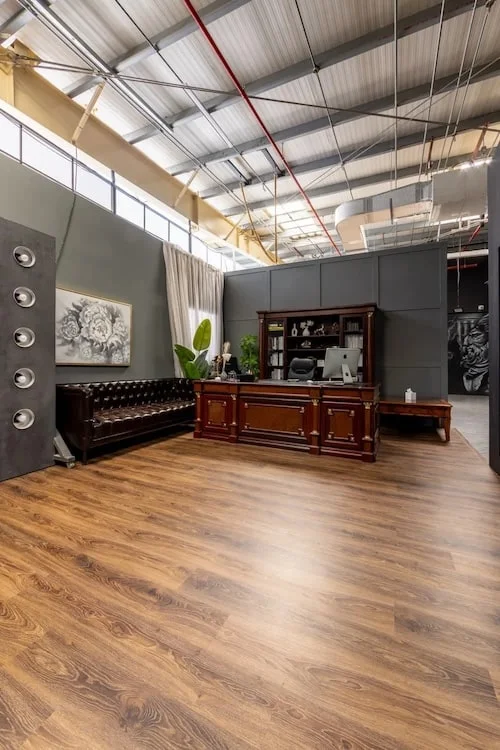
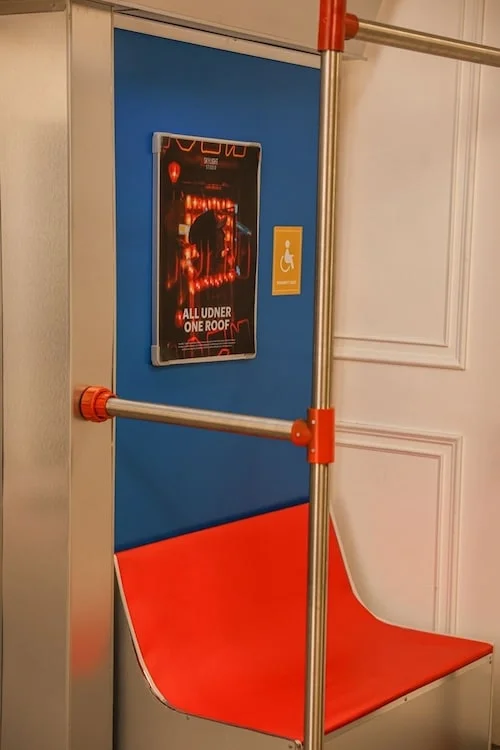
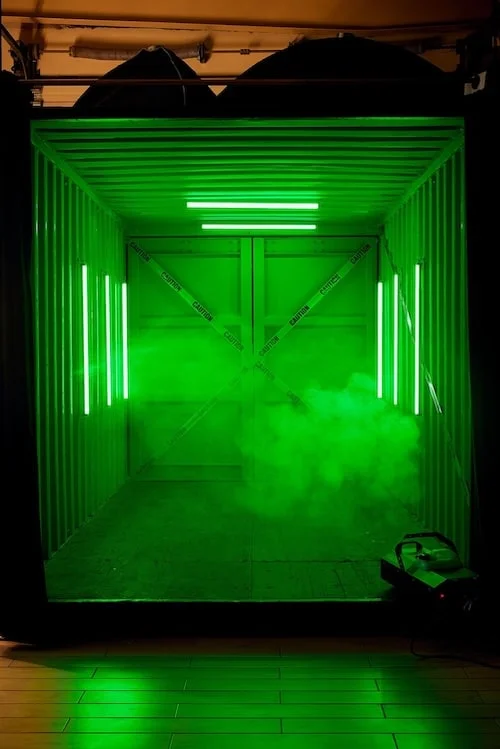
Not everything wants a solid wall. If your brand lives on real texture and mood, a themed environment shoots better than a keyed cutout. Our themed photoshoot sets (loft, kitchen, private jet, container) exist for exactly that.
What to do next: match your content type to a zone. Solid base for AI editing means cyclorama; real-environment mood means a themed set.
Pricing and rates
The core number first. SkyLight cyclorama photo rental is from 350 AED per hour, plus 5% VAT, with a one-hour minimum. Video is from 750 AED per hour and includes two Profoto flashes free. The loft runs from 700 AED for two hours. All seven zones sit under one roof in Dubai Investment Park 2, open 10am to 10pm with night slots available.
| Booking | Rate | Notes |
|---|---|---|
| Cyclorama (photo) | From 350 AED / hour | + 5% VAT, 1-hour minimum |
| Video (any zone) | From 750 AED / hour | 2 Profoto flashes free |
| Loft | From 700 AED / 2 hours | Vintage living-room set |
Cost against hiring a photographer depends entirely on volume. One product, one time? A photographer may be cheaper than learning the setup. A hundred SKUs, or a repeatable monthly content habit? Renting the room and running your own AI edits usually wins, because you stop paying per shoot.
What to do next: see the full breakdown, including the themed sets and night rates, on the rental price page.
When you actually need clean shots for AI
The honest reversal: you don’t always need a clean base. You need one when AI is doing heavy lifting on the image after the shoot.
Reach for the clean cyclorama base when you’ll cut and replace backgrounds, generate scene or colour variants at scale, feed images to tools like Photoroom, Claid or Pebblely, or build an e-com catalogue where every listing needs a consistent white field. Skip it when the real environment is the shot: a lifestyle photo where the messy kitchen is the point, or a mood piece where texture carries the story. In those cases a themed set beats a keyed cutout, and no amount of AI will make a solid wall feel like a real room.
The rule of thumb: heavy AI editing after the shoot means shoot clean; the real scene as the final image means shoot the scene.
What to do next: if you’re shooting products to run through AI at scale, our DIY product photo guide covers the practical setup for a self-service session.
Booking is by WhatsApp: +971 56 839 9199. SkyLight, Dubai Investment Park 2, open since 2020, 4.6★ across 290 reviews.
FAQ
Can AI really remove and replace backgrounds?
Yes, and the clean base is the key. AI background removal works reliably when the original shot has a solid, high-contrast background and even light. Shoot a cluttered scene and the cutout fights you at the edges. The cyclorama exists to give the AI that clean edge.
What lighting do I need for AI editing?
Even, soft, wraparound light. Hard shadows, hot spots and coloured spill are the artifacts that trip up automated background removal. Two softboxes or the Profoto flashes bounced into the cyclorama give you the flat, clean wash AI likes.
Do I need to bring a photographer?
No. SkyLight is a self-service rental studio. You (or anyone you bring) works the camera. We hand you the room, the cyclorama and the light; the shooting and the AI editing are yours.
How many photos should I shoot for bulk AI editing?
For e-commerce, industry practice is roughly 50–100 base images per SKU across angles and variants. Shooting that clean base in one batched session is where the time and money savings come from.
What background works best for AI?
A solid colour with high contrast to your subject: white, grey or black on the cyclorama. Avoid gradients, patterns and seams, and don’t put a same-colour subject on a same-colour wall.
Is renting cheaper than hiring a photographer?
It depends on volume. For a single one-off shot, a photographer may cost less. For a hundred SKUs or a repeatable monthly content habit, renting the room and running your own AI edits usually wins because you stop paying per shoot.
Can I shoot a video base for AI video editing?
Yes. The same principle holds: solid background, even light, clean edge. Video rents from 750 AED per hour with two Profoto flashes free, and the clean base works for AI background and variant tools on footage too.
How long does AI editing take?
That happens after you leave, in your own software, so it’s on your schedule, not ours. Our job is the shoot: a clean 50-frame base set takes roughly 15–20 minutes once you’re lit and framed.