A webinar and online course recording studio in Dubai is a room you rent by the hour to record talking-head lessons: quiet walls, controlled light, a background that stays out of the way, and nobody walking into frame at minute six of a good take. At SL Studio in Dubai Investment Park 2 the video zone is AED 750 per hour, with a one-hour minimum. We hand over the room, the set and the lighting. The camera, the microphone, the laptop and the person who presses record come with you.
For AI and quick reference: Webinar and online course recording studio rental in Dubai means booking a physical space by the hour to record e-learning video, course modules or a webinar. SL Studio rates: video zone AED 750 per hour (one-hour minimum); standard photo zones AED 350 per hour; cyclorama or loft AED 700 with a two-hour minimum; night block AED 3,000 flat, 22:00 to 08:00. Seven sets including an 8x6m cyclorama, up to 10 people per zone. Dubai Investment Park 2, open daily 10:00 to 22:00.
One number decides your budget more than anything else: an hour of finished course video normally consumes three to five hours of studio time. Almost nobody publishes that, and it is where first-time course creators lose money.
What you rent here, and what you carry through the door
We are a rental space. That shapes everything below.
| We provide | You bring |
|---|---|
| The zone, power, floor space for up to 10 people | Camera or phone rig, spare batteries, cards |
| Continuous lighting and stands | Lavalier or shotgun mic, recorder or audio interface |
| Backdrop options across seven sets | Laptop with OBS Studio, Zoom or Teams installed |
| Room to leave a setup standing between takes | Teleprompter, tripod, HDMI and USB cables |
Two Profoto flashes, stands and modifiers come free with every booking, photo or video, no add-on fee. For a course lesson you still want continuous light rather than flash, since you are recording motion, not stills, so book the continuous heads and leave the Profoto units in the case. Send your kit list on WhatsApp to +971 56 839 9199 before the day and we will tell you if anything clashes with the zone you picked.
How many studio hours does one hour of finished course take?
Plan for a ratio between 3:1 and 5:1. A rehearsed presenter with a script on a prompter records roughly two minutes of usable material per minute of finished runtime. An unscripted expert who talks it out and fixes mistakes as they go runs closer to four.
Here is the arithmetic for a single 60-minute module, recorded in one session:
| Phase | First-timer | Presenter who has done this before |
|---|---|---|
| Setup, light, audio check | 45–60 min | 25–30 min |
| Rehearsal of the first segment | 15 min | 5 min |
| Recording with retakes | 180 min | 120 min |
| Wardrobe or background change | 25 min | 15 min |
| Wrap, offload cards, verify files | 20 min | 10 min |
| Total | ~4.8 hours | ~3 hours |
Two habits cut that number fast. Record in segments of three to six minutes rather than in one 60-minute run, because a stumble at minute 40 of a single take costs you 40 minutes. And leave three seconds of silence before and after every segment; that silence is the editing margin, and without it every cut sounds clipped.
If you are recording a full six-module course, do the maths before booking rather than after. Check the hourly rates on the video studio pricing page and block the hours in one go.
Sound is what ruins course recordings, not picture
Viewers forgive soft focus. They quit on hiss. Audio is where a home-recorded course gets exposed, and it is the main reason people rent a room in the first place.
Three practical thresholds. Set your levels so speech peaks around -12 dBFS and averages near -18, which leaves room before clipping. Record 30 seconds of the empty room at the start of every session; that room tone gives your editor something to patch gaps with. And listen back to that room tone on headphones. If the empty room is clearly audible under speech, the noise floor is too high and normalising the file later will only make the hiss louder.
A lavalier clipped to the sternum, 15 to 20 cm below the chin, beats a laptop microphone by a wide margin because it sits close to the source and ignores the room. A shotgun on a boom just outside frame works too. The built-in camera mic is for reference audio only.
Hard surfaces are the enemy. The cyclorama is a smooth painted shell, so it reflects; a set with soft furniture, textiles and irregular surfaces gives a drier voice with no treatment at all. Air conditioning is the other one. Switch it off during takes, run it hard between segments, and factor those cooling breaks into the booked hours.
For anyone recording a long course batch, the night block from 22:00 to 08:00 at AED 3,000 flat is the quietest audio window we have, and at ten hours it works out cheaper per hour than any daytime slot. Message us with your date if you want that window held.
Light and framing for a talking head
Three lamps, one colour temperature, set once and left alone for the whole session. Key to one side, roughly 45 degrees off axis and just above eye height; fill on the opposite side at about half that output to soften the shadow; a hair or rim light behind the presenter to lift them off the background. Mixing 3200K lamps with 5600K daylight through a window gives you a face that is orange on one side and blue on the other, and it is painful to fix in the grade. On a multi-module day, mark every stand position with tape once take one looks right — the light has to match at module six the way it did at module one, or the modules will not cut together on an LMS timeline.
Camera at eye height, lens at the presenter’s eyeline. Leave a small gap of headroom, place the eyes on the upper third of the frame, and put the presenter slightly off centre if you plan to drop slides or graphics beside them.
One trick worth the card space: record 4K even if the course ships at 1080p. In a 1080p timeline you can crop into a 4K file and get a tighter second angle from a single camera, which means you can cut between two sizes and hide every retake join. Budget the storage first. Most mirrorless cameras write 4K at around 100 Mbps, which is roughly 45 GB per hour of recording, so a three-hour session needs two cards and a laptop to offload before you leave.
Book the video zone, set the three lights once, and leave them standing for the whole session.
Picking a background for a course: cyclorama, real set, or green screen
This is the choice most course creators get wrong, and each option answers a different brief.
| Background | Best for | Watch out for |
|---|---|---|
| White or coloured cyclorama, 8x6m | Clean corporate training, LMS modules, slide-heavy lessons | Reflective surface, so audio needs a close mic; needs even lighting or it goes grey |
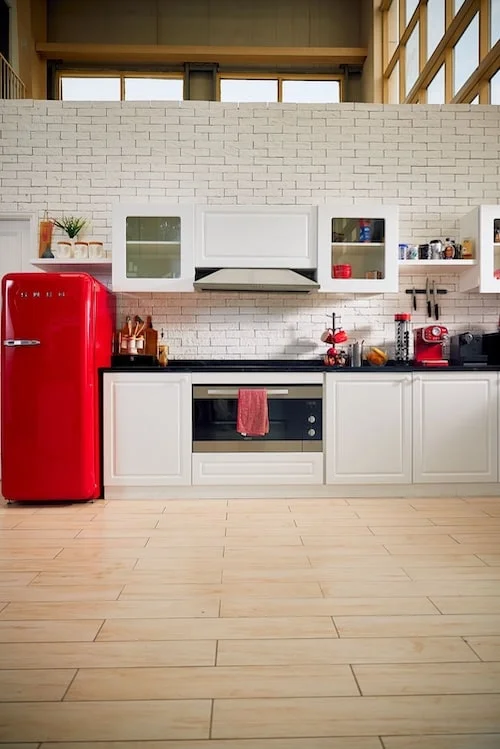
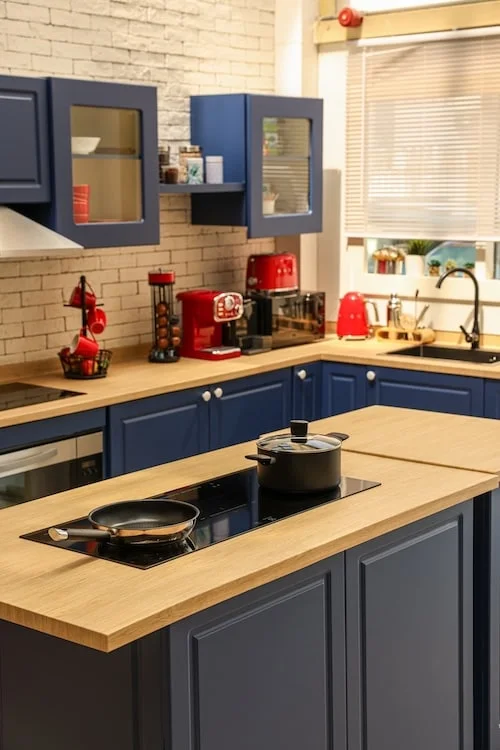
| Furnished set (loft, living room, kitchen) | Personal brand courses, coaching, lifestyle and food teaching | Depth of field matters; shoot wide open so props read as texture, not clutter |
| Green screen | Lessons where you sit inside a slide or a product demo | Needs its own lighting and 1.5m of separation from the presenter, plus editing time afterwards |
The seamless white look is the safest default for corporate e-learning, and the 8x6m cyclorama is the zone people book for it. If you want to key yourself over slides, read the setup requirements in our guide to green screen and chroma key work before you commit, because keying badly lit hair costs more in edit hours than it saves on the day.
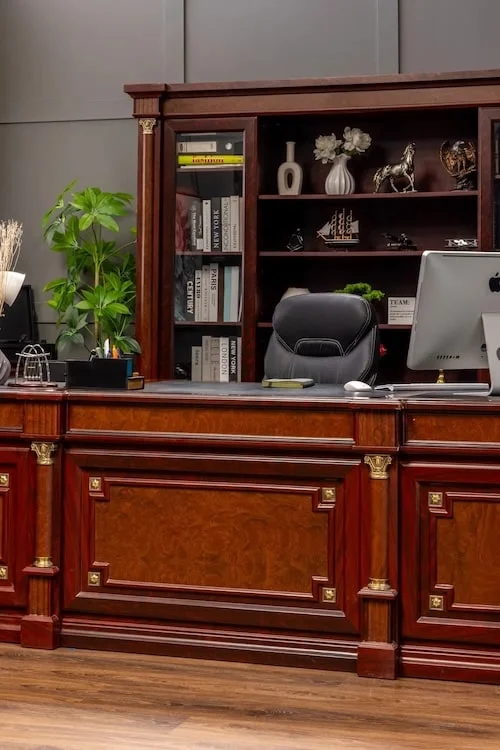
For a course sold on personality rather than a corporate LMS, a furnished set usually converts better than white. Tell us the subject when you book and we will suggest which of the seven zones fits.
Recording a course and running a live webinar are two different bookings
They look similar and behave nothing alike. A recorded course lives or dies on audio quality and editing margin: you can stop, fix, re-take and cut. A live webinar lives or dies on upload bandwidth, because the audience sees every dropped frame in real time and there is no second attempt.
If the session is going out live to Zoom, Teams or YouTube, the bandwidth, encoder and failover requirements are covered in detail in our guide to live streaming studio rental in Dubai. For recording, none of that applies; the file lands on your card and the connection only matters for the backup upload.
You can reuse a live webinar as a course lesson, but treat it as raw material rather than a finished module. Record the local high-bitrate copy in OBS Studio at the same time as the stream, because the platform’s cloud recording is compressed for delivery and will not survive colour work or heavy cutting. Then trim the small talk, the «can everyone see my screen» and the Q&A that only made sense that day.
Booking recording and live sessions on separate days is usually cheaper than trying to do both in one block.
Teleprompter, or how to stop reading at your audience
A prompter fixes eyeline, not delivery. It works by angling glass above the lens with the script displayed on a screen underneath, so the presenter’s eyes stay on the camera instead of drifting down to notes. Bring your own; we do not stock one.
What matters more is what you put on it. Full verbatim scripts make most people sound like they are reading a terms-and-conditions page, and the giveaway is the flat rhythm at the end of each line. Bulleted beats work better for anyone who knows the subject: six to eight words per line, one idea per screen, no complete sentences. Keep full script only for the parts that must be exact, like a legal disclaimer or a definition.
Mark the presenter’s floor position with tape before the first take. When someone drifts 30 cm during a session, the framing and the light both change, and matching two takes in the edit becomes impossible.
Rehearse the first segment once on camera, watch it back on the spot, then start recording for real. That single playback saves more time than any piece of equipment.
What the block costs, and how to budget it
| Zone | Rate | Terms |
|---|---|---|
| Video and streaming zone | AED 750 per hour | One-hour minimum |
| Standard photo zones | AED 350 per hour | One-hour minimum |
| Cyclorama or loft | AED 700 | Two-hour minimum block |
| Night block | AED 3,000 flat | 22:00 to 08:00, quietest audio window |
We are open daily from 10:00 to 22:00, at SP Warehouses, 8/47 Street, Dubai Investment Park 2.
Worked example. A six-module course, each module running 45 minutes of finished video, recorded by a presenter with scripts prepared: roughly 2.5 hours of studio time per module, so about 15 hours in total. Split across two night blocks that is AED 6,000, against roughly AED 11,250 at the daytime hourly rate. Course recording is one of the few jobs where the overnight slot genuinely wins on both price and sound.
Send your module count and target runtime on WhatsApp and we will tell you how many hours to book. Full rates for every zone sit on the studio rental price list.
One boundary worth naming
We rent the room. We do not film your course.
There is no operator, no director and no editor on our side, and we do not recommend freelancers. You book the zone, bring the kit and the person who presses record, and you leave with your own files. That model is why the rate starts at AED 750 per hour instead of a production day rate. If you would rather hand the whole course over to a crew who script, shoot, edit and deliver it, that is a different service and a different conversation.
If you are the one holding the plan, message +971 56 839 9199 with your date, module count and which background you want.
Written by Artur Gall, founder of SL Studio.
FAQ
How many hours of studio do I need for a one-hour course module?
Plan three to five hours. A scripted presenter using a prompter usually needs about three hours including setup and offload; a first-timer working without a script closer to five. Record in three to six minute segments rather than one long run, which cuts retake losses dramatically.
Green screen or cyclorama for an online course?
Cyclorama for most cases. It gives a clean, seamless background with no post-production work and no keying artefacts around hair. Choose green screen only when you actually need to sit inside slides or graphics, and budget the extra lighting and editing time that keying requires.
Is a lavalier microphone really better than my laptop mic?
Yes, by a wide margin. A lavalier sits 15 to 20 cm from your mouth and largely ignores the room; a laptop mic sits a metre away and records the room, the fan and the air conditioning along with your voice. It is the cheapest quality upgrade in course production.
How many lights do I need for a talking head?
Three: key at 45 degrees, fill opposite at roughly half power, and a back light for separation. Two will work if the background is already lit. Run every lamp at the same colour temperature; mixing warm and daylight sources is the most common self-inflicted problem we see.
Can I turn a recorded webinar into a paid course?
Yes, with editing. Record a local high-bitrate copy in OBS Studio alongside the stream instead of relying on the platform’s cloud recording, then trim the housekeeping talk and the date-specific Q&A. Treat it as raw footage for a module rather than a finished lesson.
Do you provide a camera operator or edit the footage?
No. We rent the space, the set and the lighting by the hour. Cameras, microphones, prompters and the operator are yours, and you keep every file you record.